The exact USB-A offer
This page covers ASIN B0DSZTSBHC, the black OpenComm2UC (USB-A) configuration. The Amazon listing we reviewed showed a $199.95 offer, alongside a cheaper standard OpenComm2 and a separate USB-C OpenComm2 UC option.
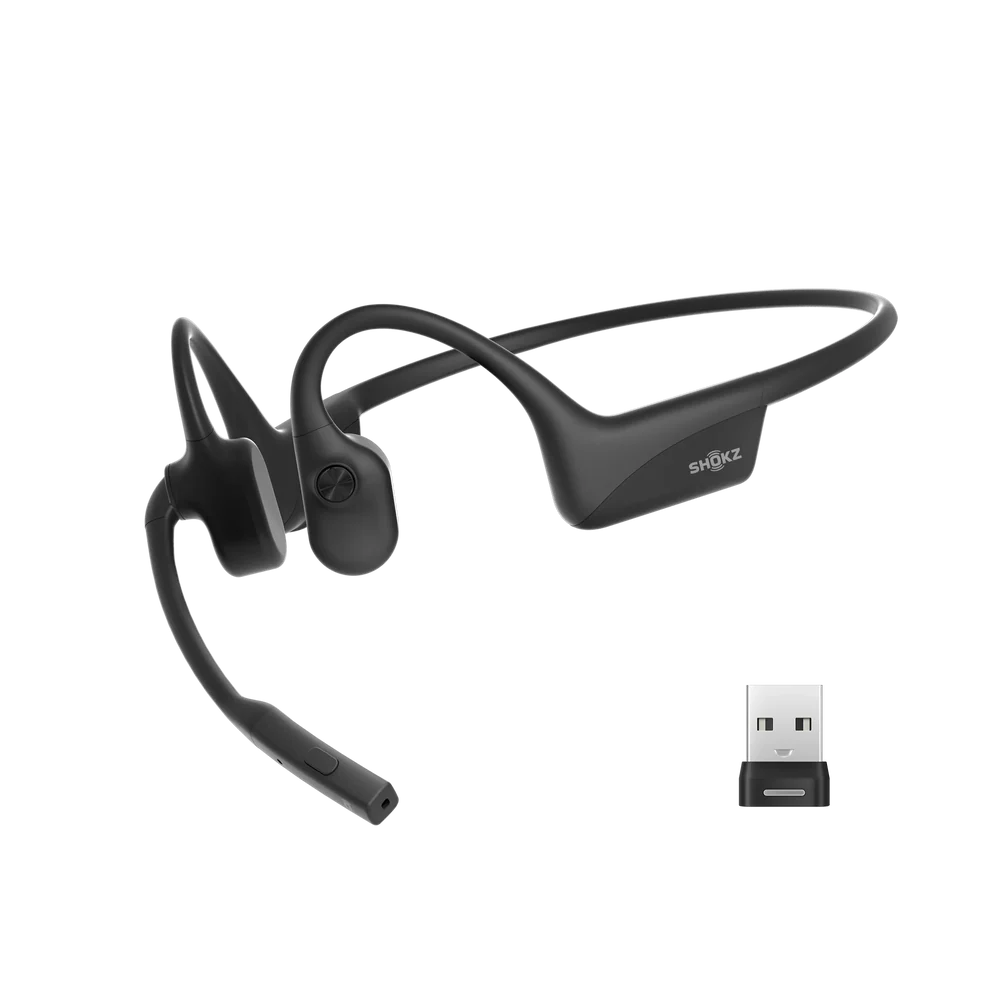
That makes the variant choice more important than the family name. The USB-A model includes the Loop120 adapter for a USB-A computer port, while the headset itself uses USB-C for charging.
| Listed specification | What it means |
|---|---|
| Selected version | OpenComm2UC (USB-A) |
| Included adapter | Loop120 USB-A wireless adapter |
| Charging | USB-C |
| Weight | 35 g |
| Talk time | Up to 16 hours |
| Playback time | Up to 8 hours |
| Wireless range | Up to 30 m / 98 ft |
| Resistance | IP55 |
What the UC premium buys
Shokz positions the standard OpenComm2 2025 Upgrade for mobile use and the UC version for desk-based communication. The UC package arrives with a pre-paired Loop120 adapter, so the practical upgrade is the computer workflow rather than a different open-ear concept.
Loop120 is intended to improve connection stability with a computer and add tighter meeting-platform integration. Shokz specifically describes support for functions such as synchronized mute, volume control and call handling with platforms including Zoom and Teams.
 View full image ↗
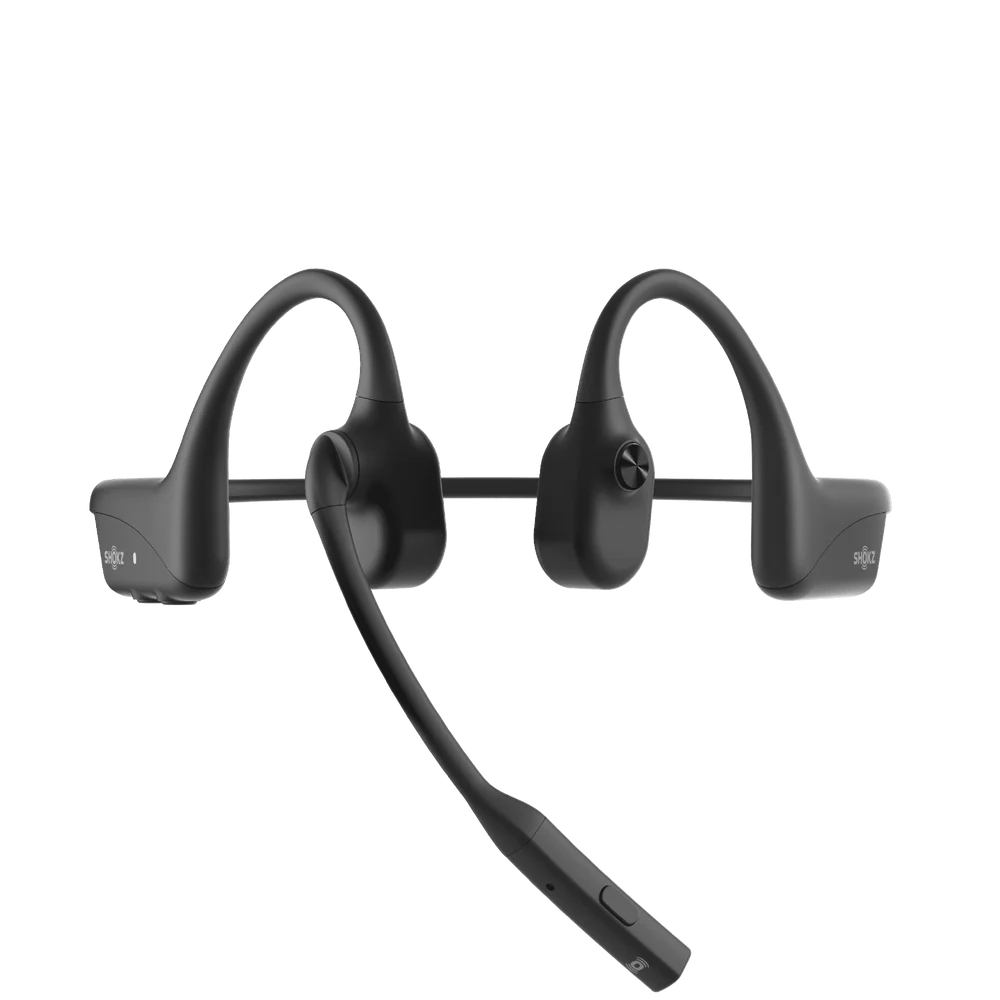
The USB-A Loop120 is bundled with this version and comes pre-paired for a desk-first setup.
SHOKZ product image · Product source ↗USB-A is the dongle, not the charging port
This is the easiest detail to misread. “USB-A” describes the included Loop120 adapter. The 2025 Upgrade headset itself charges through USB-C.
Shokz sells USB-A and USB-C UC packages so the dongle can match the port on your computer. The headset can also pair directly over Bluetooth without the adapter, but Shokz recommends the adapter for a more stable computer-call experience.
 View full image ↗
The USB-A versus USB-C choice is about the bundled adapter. Charging remains USB-C on the 2025 Upgrade headset.
SHOKZ product image · Support source ↗Open-ear comfort has a trade-off
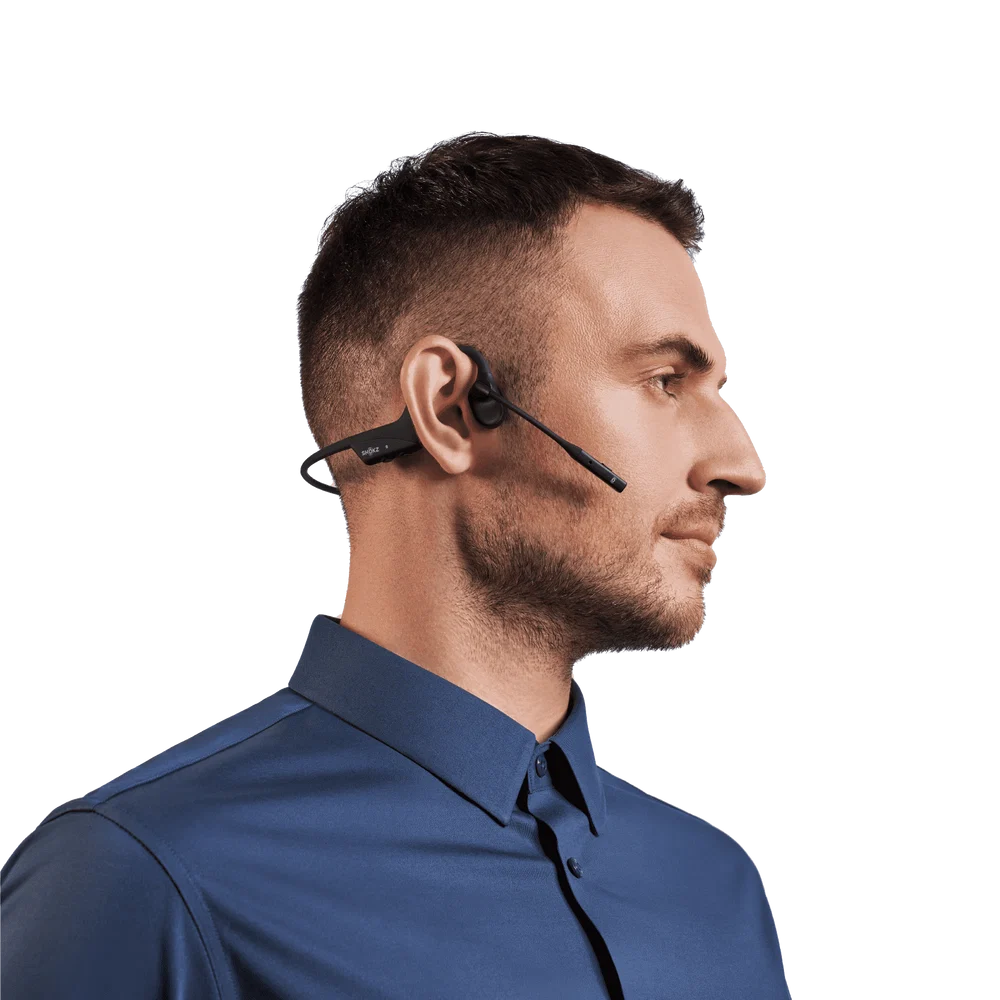
The open-ear layout leaves the ear canal uncovered, which is useful when you want to stay aware of coworkers, family or the room around you during long work blocks. At 35 g, the headset is also designed around a lightweight office use case.
The trade-off is isolation. This is not the category to choose if the main goal is sealing out outside sound. The design prioritizes awareness and communication over the closed-off feel of an over-ear noise-isolating headset.
 View full image ↗
The ears remain open instead of being covered or sealed, which fits office and work-from-home use where surrounding awareness matters.
SHOKZ product image · Product source ↗The boom mic is the work feature to watch
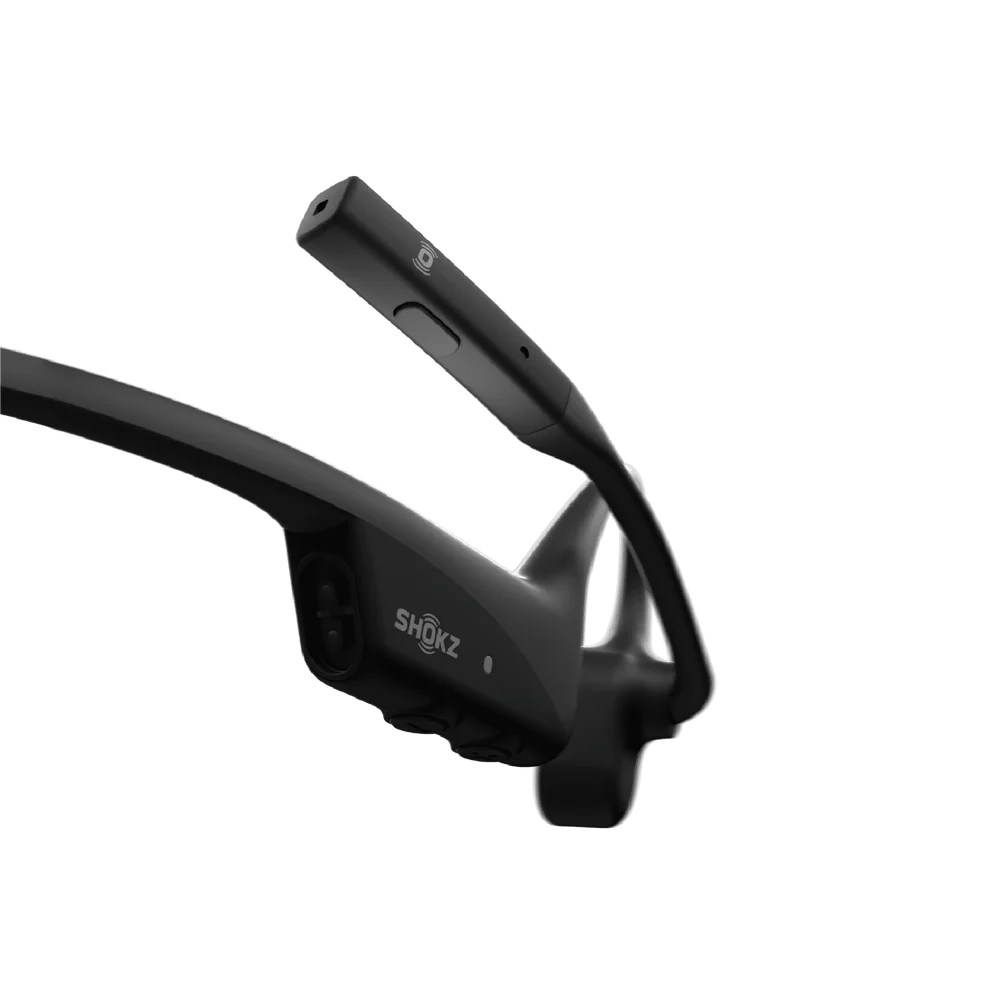
The OpenComm2 UC uses an adjustable boom microphone with noise-canceling processing and a dedicated mute control. For a headset bought mainly for meetings, that communication layout matters more than the bone-conduction label by itself.
The boom mic is not detachable; Shokz says it can rotate away when you are finished with a call. Zoom certification also allows supported headset buttons to control functions such as answering calls and synchronizing mute state.
 View full image ↗
The long boom positions the microphone close to the mouth and pairs with a dedicated mute control for call-heavy use.
SHOKZ product image · Support source ↗Battery, compatibility and our buying call
Shokz lists up to 16 hours of talk time, up to 8 hours of playback and quick charging that can provide up to 2 hours of talk time from a 5-minute charge. The headset also supports multipoint pairing with up to two mobile devices.
Our buying call: the USB-A OpenComm2 UC is the more coherent choice when a Windows or USB-A computer is the center of your workday and the Loop120 adapter will stay plugged into that machine. If your use is mostly phone-first, compare the standard OpenComm2 before paying for the UC bundle. If your laptop is USB-C-only, buy the USB-C UC package rather than adding another adapter.
 View full image ↗
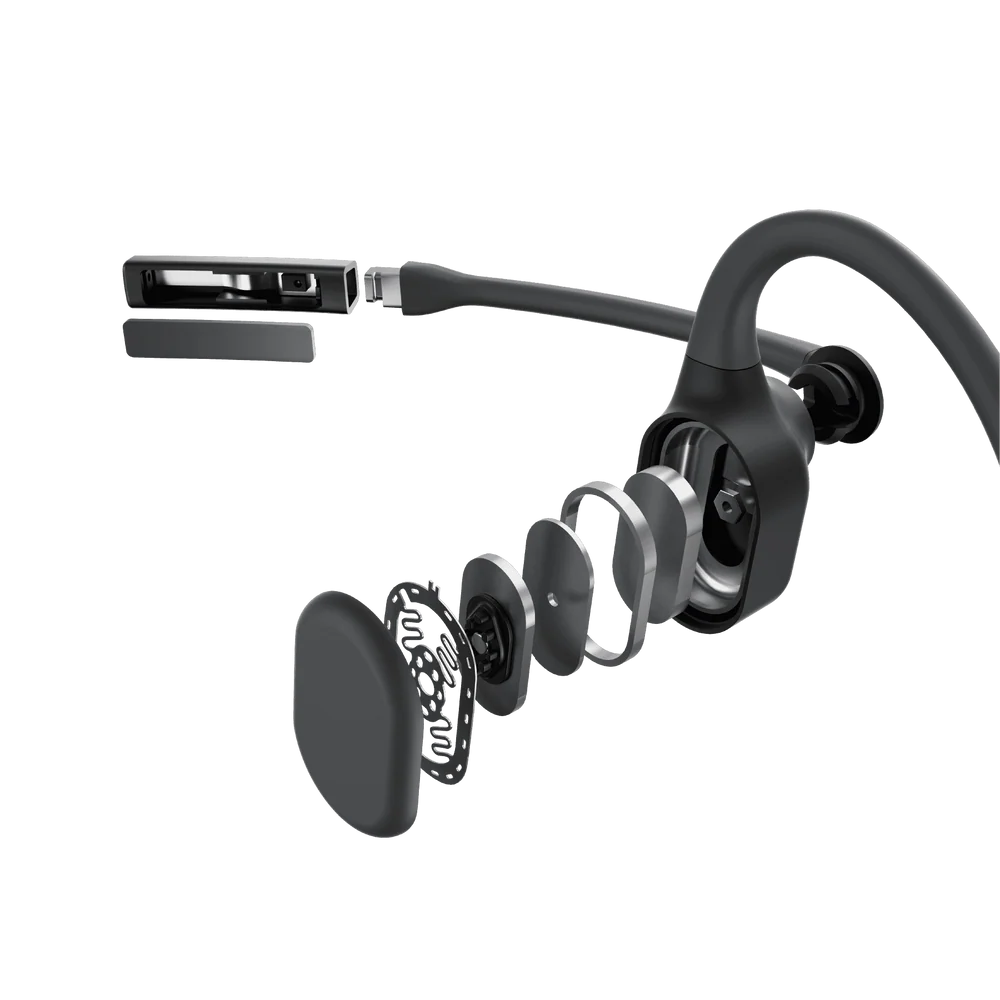
The UC decision is less about the transducer illustration and more about whether the adapter and meeting controls fit your actual desk setup.
SHOKZ product image · Product source ↗Before you buy
Should I choose USB-A or USB-C?
Choose the UC package that matches the port on the computer where you plan to use Loop120. The headset itself uses USB-C charging either way.
Can I use the headset without Loop120?
Yes. Shokz says it can pair directly with devices over Bluetooth. The included adapter is mainly there to improve the computer-call workflow and meeting-platform integration.
Can the boom microphone be removed?
No. Shokz says the microphone can rotate up and down but is not detachable.
Does it work only with Zoom?
No. Shokz says the headset is designed for other video-conferencing platforms as well. Zoom certification adds specific button and mute-state integration.
RESEARCH NOTES
Sources & notes
Product identity and the observed retailer offer were checked against the Amazon listing for ASIN B0DSZTSBHC. Feature, compatibility and battery details were cross-checked against SHOKZ product and support documentation. Retailer prices, seller details and availability can change.
- SHOKZ OpenComm2 UC 2025 Upgrade product information ↗
- SHOKZ OpenComm2 UC 2025 Upgrade support and FAQ ↗
- SHOKZ OpenComm2 2025 Upgrade comparison information ↗
Product images are supplied by SHOKZ. Read our editorial approach.